a = 4
a4Nun fehlt uns nur noch wenig Rüstzeug, um erste, leistungsfähige Programme zu schreiben. Dieses Verbleibende lernen wir in dieser Einheit, um dann tatsächlich 2 Programme zu bauen, welche Datenbank-Daten effektiv darstellen. Vor allem lernen wir hier interaktive Möglichkeiten kennen die es uns ermöglichen, mit den Daten über eine graphische Benutzeroberfläche direkt zu interagieren, diese zu manipulieren und immer wieder neu darzustellen.
global
Available Notebooks: Lecture, Exercise, Solution
Lokale Variablen gelten nur innerhalb bestimmter Befehle. Das ist sehr praktisch, da derselbe Variablen-Name ohne Konflikte dann noch woanders verwendet werden kann. Globale Variablen gelten dagegen überall, sodass eine Doppelbelegung unbedingt vermieden werden muss.
ipywidgets library, interact(), concatenate strings (+)
Available Notebooks: Lecture, Exercise, Solution
Interaktive Elemente erlauben es Anwendern die dargestellten Inhalte – also beispielsweise ein Diagramm – zu manipulieren, also damit zu interagieren. So können über Drop-Down Menüs z.B. die darzustellenden chemischen Elemente ausgewählt, oder über Slider Variablen-Werte verändert werden. Diese Elemente bilden eine GUI (graphical user interface), mit der sich richtige Programme erstellen lassen.
pip install mag4Requirement already satisfied: mag4 in /Users/dominik/anaconda3/lib/python3.11/site-packages (0.0.214)
Note: you may need to restart the kernel to use updated packages.import mag4 as mg
import pandas as pd
import matplotlib.pyplot as plt
from ipywidgets import interactdf = mg.get_data('Bastar Craton')
print(df.columns.tolist())['Citations', 'Tectonic Setting', 'Location', 'Location Comment', 'Latitude (Min)', 'Latitude (Max)', 'Longitude (Min)', 'Longitude (Max)', 'Land or Sea', 'Elevation (Min)', 'Elevation (Max)', 'Sample Name', 'Rock Name', 'Age (a, Min)', 'Age (a, Max)', 'Geol', 'Age', 'Eruption Day', 'Eruption Month', 'Eruption Year', 'Rock Texture', 'Rock Type', 'Drill Depth (Min)', 'Drill Depth (Max)', 'Alteration', 'Mineral', 'Material', 'Si', 'Ti', 'B', 'Al', 'Cr', 'Fe3+', 'Fe2+', 'Fetot(2+)', 'Ca', 'Mg', 'Mn', 'Ni', 'K', 'Na', 'P', 'H2O', 'H2OP', 'H2OM', 'H2Otot', 'CO2', 'CO', 'F', 'Cl', 'Cl2', 'OH', 'CH4', 'SO2', 'SO3', 'SO4', 'S', 'LOI', 'Volatiles', 'O', 'Others', 'HE(CCM/G)', 'HE(CCMSTP/G)', 'HE3(CCMSTP/G)', 'HE3(AT/G)', 'HE4(CCM/G)', 'HE4(CCMSTP/G)', 'HE4(AT/G)', 'HE4(MOLE/G)', 'HE4(NCC/G)', 'HE(NCC/G)', 'Li', 'Be', 'B.1', 'C', 'CO2.1', 'F.1', 'Na.1', 'Mg.1', 'Al.1', 'P.1', 'S.1', 'Cl.1', 'K.1', 'Ca.1', 'Sc', 'Ti.1', 'V', 'Cr.1', 'Mn.1', 'Fe', 'Co', 'Ni.1', 'Cu', 'Zn', 'Ga', 'Ge', 'As', 'Se', 'Br', 'Rb', 'Sr', 'Y', 'Zr', 'Nb', 'Mo', 'Ru', 'Rh', 'Pd', 'Ag', 'Cd', 'In', 'Sn', 'Sb', 'Te', 'I', 'Cs', 'Ba', 'La', 'Ce', 'Pr', 'Nd', 'Sm', 'Eu', 'Gd', 'Tb', 'Dy', 'Ho', 'Er', 'Tm', 'Yb', 'Lu', 'Hf', 'Ta', 'W', 'Re', 'Os', 'Ir', 'Pt', 'Au', 'Hg', 'Tl', 'Pb', 'Bi', 'Th', 'U', 'Nd143/Nd144', 'Nd143/Nd144 initial', 'e Nd', 'Sr87/Sr86', 'SR87_SR86_INI', 'PB206_PB204', 'PB206_PB204_INI', 'PB207_PB204', 'PB207_PB204_INI', 'PB208_PB204', 'PB208_PB204_INI', 'OS184_OS188', 'OS186_OS188', 'OS187_OS186', 'OS187_OS188', 'RE187_OS186', 'RE187_OS188', 'HF176_HF177', 'HE3_HE4', 'HE3_HE4(R/R(A))', 'HE4_HE3', 'HE4_HE3(R/R(A))', 'K40_AR40', 'AR40_K40', 'Unique Id', 'Unnamed: 171']el1 = 'Na'
el2 = 'Mn'
plt.scatter(df[el1], df[el2])
plt.show()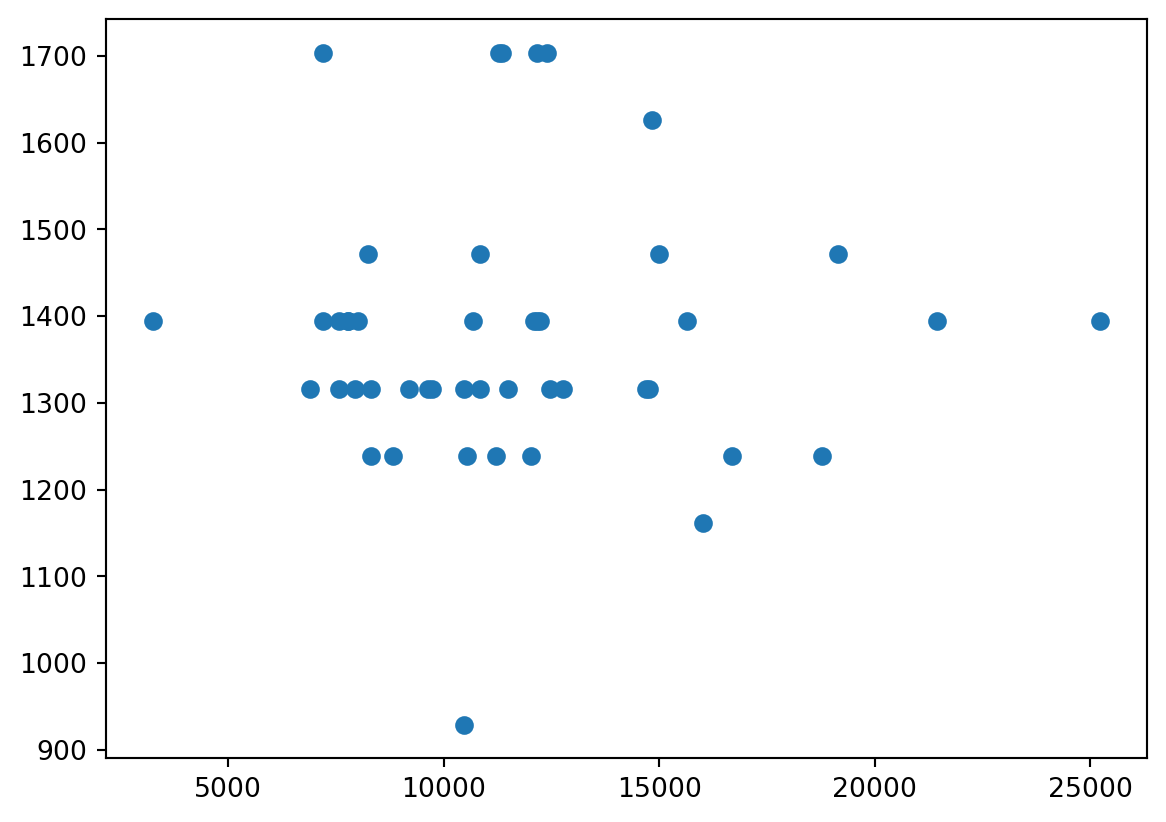
def pltData(xAxisData, yAxisData):
plt.scatter(df[xAxisData] / 10000, df[yAxisData] / 10000)
plt.xlabel(xAxisData + ' (wt%)')
plt.ylabel(yAxisData + ' (wt%)')
return plt.show()el1 = 'Mn'
el2 = 'Ti'
pltData(el1, el2)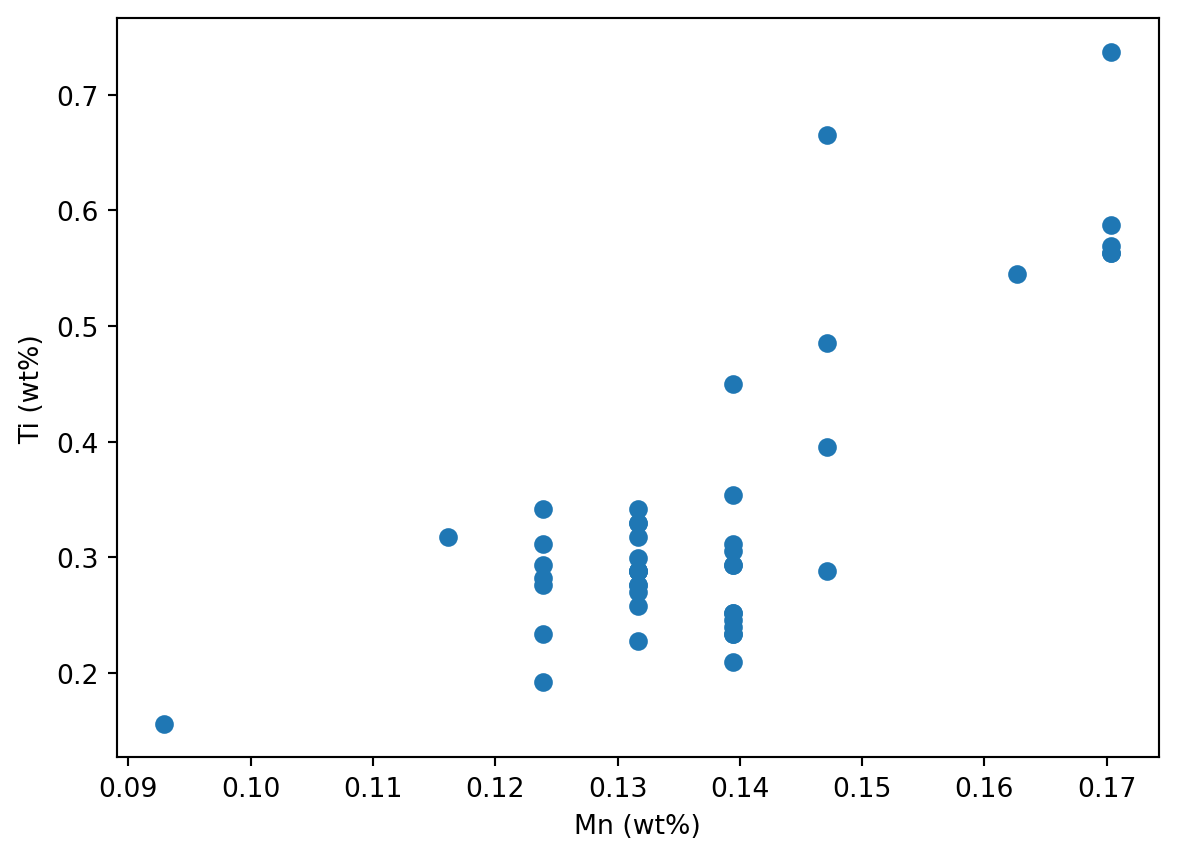
elements = ['Si', 'Ti', 'Al', 'Mg', 'Mn', 'V']
interact(pltData, xAxisData = elements, yAxisData = elements)<function __main__.pltData(xAxisData, yAxisData)>Import the required libraries to make an interactive plot using a database.
As database we want to use ‘Tanzania Craton Archean’.
Make a scatter plot including some labelling elements.
Now make a command that makes this plot, with the two elements as input variables to the command.
Execute the command to test it.
Now use interact to select the elements for the x- and y-axes via drop-down menus.
Use a list with elements that will populate the drop-down menus.
Finally, test and enjoy that all is working just fine.
import mag4 as mg
import pandas as pd
import matplotlib.pyplot as plt
from ipywidgets import interact
df = mg.get_data('Tanzania Craton Archean')
print(df.columns.tolist())
df['Citations', 'Tectonic Setting', 'Location', 'Location Comment', 'Latitude (Min)', 'Latitude (Max)', 'Longitude (Min)', 'Longitude (Max)', 'Land or Sea', 'Elevation (Min)', 'Elevation (Max)', 'Sample Name', 'Rock Name', 'Age (a, Min)', 'Age (a, Max)', 'Geol', 'Age', 'Eruption Day', 'Eruption Month', 'Eruption Year', 'Rock Texture', 'Rock Type', 'Drill Depth (Min)', 'Drill Depth (Max)', 'Alteration', 'Mineral', 'Material', 'Si', 'Ti', 'B', 'Al', 'Cr', 'Fe3+', 'Fe2+', 'Fetot(2+)', 'Ca', 'Mg', 'Mn', 'Ni', 'K', 'Na', 'P', 'H2O', 'H2OP', 'H2OM', 'H2Otot', 'CO2', 'CO', 'F', 'Cl', 'Cl2', 'OH', 'CH4', 'SO2', 'SO3', 'SO4', 'S', 'LOI', 'Volatiles', 'O', 'Others', 'HE(CCM/G)', 'HE(CCMSTP/G)', 'HE3(CCMSTP/G)', 'HE3(AT/G)', 'HE4(CCM/G)', 'HE4(CCMSTP/G)', 'HE4(AT/G)', 'HE4(MOLE/G)', 'HE4(NCC/G)', 'HE(NCC/G)', 'Li', 'Be', 'B.1', 'C', 'CO2.1', 'F.1', 'Na.1', 'Al.1', 'P.1', 'S.1', 'Cl.1', 'K.1', 'Ca.1', 'Sc', 'Ti.1', 'V', 'Cr.1', 'Mn.1', 'Fe', 'Co', 'Ni.1', 'Cu', 'Zn', 'Ga', 'Ge', 'As', 'Se', 'Br', 'Rb', 'Sr', 'Y', 'Zr', 'Nb', 'Mo', 'Ru', 'Rh', 'Pd', 'Ag', 'Cd', 'In', 'Sn', 'Sb', 'Te', 'I', 'Cs', 'Ba', 'La', 'Ce', 'Pr', 'Nd', 'Sm', 'Eu', 'Gd', 'Tb', 'Dy', 'Ho', 'Er', 'Tm', 'Yb', 'Lu', 'Hf', 'Ta', 'W', 'Re', 'Os', 'Ir', 'Pt', 'Au', 'Hg', 'Tl', 'Pb', 'Bi', 'Th', 'U', 'Nd143/Nd144', 'Nd143/Nd144 initial', 'e Nd', 'Sr87/Sr86', 'SR87_SR86_INI', 'PB206_PB204', 'PB206_PB204_INI', 'PB207_PB204', 'PB207_PB204_INI', 'PB208_PB204', 'PB208_PB204_INI', 'OS184_OS188', 'OS186_OS188', 'OS187_OS186', 'OS187_OS188', 'RE187_OS186', 'RE187_OS188', 'HF176_HF177', 'HE3_HE4', 'HE3_HE4(R/R(A))', 'HE4_HE3', 'HE4_HE3(R/R(A))', 'K40_AR40', 'AR40_K40', 'Unique Id']| Citations | Tectonic Setting | Location | Location Comment | Latitude (Min) | Latitude (Max) | Longitude (Min) | Longitude (Max) | Land or Sea | Elevation (Min) | ... | RE187_OS186 | RE187_OS188 | HF176_HF177 | HE3_HE4 | HE3_HE4(R/R(A)) | HE4_HE3 | HE4_HE3(R/R(A)) | K40_AR40 | AR40_K40 | Unique Id | |
|---|---|---|---|---|---|---|---|---|---|---|---|---|---|---|---|---|---|---|---|---|---|
| 0 | [7534] | ARCHEAN CRATON (INCLUDING GREENSTONE BELTS) | TANZANIA CRATON_ARCHEAN / SUKUMALAND GREENSTON... | ARTISANAL MINING PITS FROM THE RWAMAGAZA AREA,... | -3.0800 | -3.2300 | 32.4000 | 32.4800 | SUBAERIAL | NaN | ... | NaN | NaN | NaN | NaN | NaN | NaN | NaN | NaN | NaN | 194622 |
| 1 | [7534] | ARCHEAN CRATON (INCLUDING GREENSTONE BELTS) | TANZANIA CRATON_ARCHEAN / SUKUMALAND GREENSTON... | ARTISANAL MINING PITS FROM THE RWAMAGAZA AREA,... | -3.0800 | -3.2300 | 32.4000 | 32.4800 | SUBAERIAL | NaN | ... | NaN | NaN | NaN | NaN | NaN | NaN | NaN | NaN | NaN | 194623 |
| 2 | [7534] | ARCHEAN CRATON (INCLUDING GREENSTONE BELTS) | TANZANIA CRATON_ARCHEAN / SUKUMALAND GREENSTON... | ARTISANAL MINING PITS FROM THE RWAMAGAZA AREA,... | -3.0800 | -3.2300 | 32.4000 | 32.4800 | SUBAERIAL | NaN | ... | NaN | NaN | NaN | NaN | NaN | NaN | NaN | NaN | NaN | 194624 |
| 3 | [7534] | ARCHEAN CRATON (INCLUDING GREENSTONE BELTS) | TANZANIA CRATON_ARCHEAN / SUKUMALAND GREENSTON... | ARTISANAL MINING PITS FROM THE RWAMAGAZA AREA,... | -3.0800 | -3.2300 | 32.4000 | 32.4800 | SUBAERIAL | NaN | ... | NaN | NaN | NaN | NaN | NaN | NaN | NaN | NaN | NaN | 194625 |
| 4 | [7534] | ARCHEAN CRATON (INCLUDING GREENSTONE BELTS) | TANZANIA CRATON_ARCHEAN / SUKUMALAND GREENSTON... | ARTISANAL MINING PITS FROM THE RWAMAGAZA AREA,... | -3.0800 | -3.2300 | 32.4000 | 32.4800 | SUBAERIAL | NaN | ... | NaN | NaN | NaN | NaN | NaN | NaN | NaN | NaN | NaN | 194626 |
| ... | ... | ... | ... | ... | ... | ... | ... | ... | ... | ... | ... | ... | ... | ... | ... | ... | ... | ... | ... | ... | ... |
| 230 | [10897] | ARCHEAN CRATON (INCLUDING GREENSTONE BELTS) | TANZANIA CRATON_ARCHEAN / MUSOMA-MARA GREENSTO... | NaN | 1.2772 | 1.2772 | 34.0969 | 34.0969 | SUBAERIAL | NaN | ... | NaN | NaN | NaN | NaN | NaN | NaN | NaN | NaN | NaN | 57999-TA 96 |
| 231 | [10897] | ARCHEAN CRATON (INCLUDING GREENSTONE BELTS) | TANZANIA CRATON_ARCHEAN / MUSOMA-MARA GREENSTO... | NaN | 1.4008 | 1.4008 | 34.2236 | 34.2236 | SUBAERIAL | NaN | ... | NaN | NaN | NaN | NaN | NaN | NaN | NaN | NaN | NaN | 58007-TA 65 |
| 232 | [10897] | ARCHEAN CRATON (INCLUDING GREENSTONE BELTS) | TANZANIA CRATON_ARCHEAN / MUSOMA-MARA GREENSTO... | NaN | 1.2481 | 1.2481 | 34.2236 | 34.2236 | SUBAERIAL | NaN | ... | NaN | NaN | NaN | NaN | NaN | NaN | NaN | NaN | NaN | 58016-TA 61 |
| 233 | [10897] | ARCHEAN CRATON (INCLUDING GREENSTONE BELTS) | TANZANIA CRATON_ARCHEAN / MUSOMA-MARA GREENSTO... | NaN | 1.2817 | 1.2817 | 34.3981 | 34.3981 | SUBAERIAL | NaN | ... | NaN | NaN | NaN | NaN | NaN | NaN | NaN | NaN | NaN | 58018-TA 43 |
| 234 | [10897] | ARCHEAN CRATON (INCLUDING GREENSTONE BELTS) | TANZANIA CRATON_ARCHEAN / MUSOMA-MARA GREENSTO... | NaN | 1.3378 | 1.3378 | 34.3078 | 34.3078 | SUBAERIAL | NaN | ... | NaN | NaN | NaN | NaN | NaN | NaN | NaN | NaN | NaN | 58029-TA 107 |
235 rows × 170 columns
xData = 'Na'
yData = 'K'

plt.scatter(df[xData] * .00001, df[yData] * .00001, label = 'Tanzania Craton')
plt.xlabel(xData + ' (wt%)')
plt.ylabel(yData + ' (wt%)')
plt.legend(loc = 'upper left')

plt.show()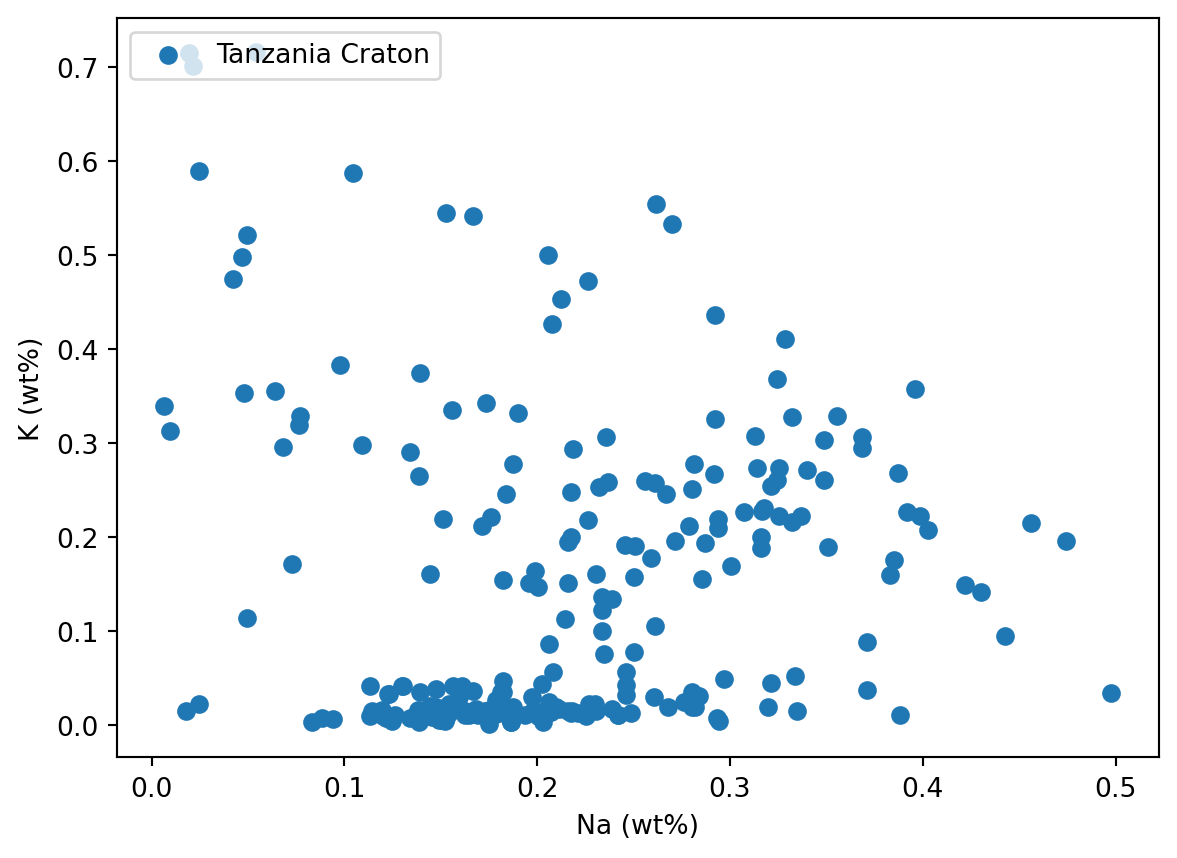
def pltData(xData, yData):
    plt.scatter(df[xData] * .00001, df[yData] * .00001, label = 'Tanzania Craton')
    plt.xlabel(xData + ' (wt%)')
    plt.ylabel(yData + ' (wt%)')
    plt.legend(loc = 'upper left')
return plt.show()pltData('Na', 'K')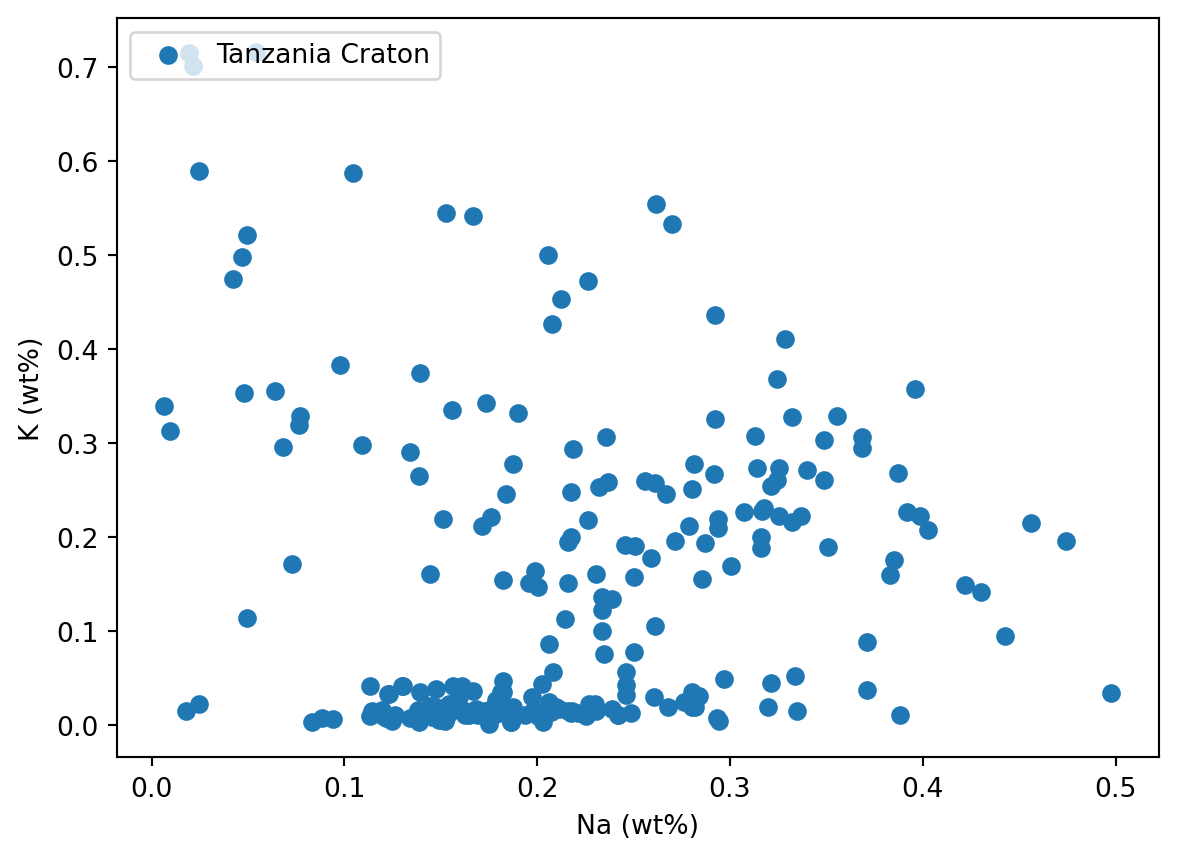
elements = ['Si', 'Ti', 'Al', 'Mg', 'Mn', 'Ni', 'Co', 'Na', 'K']

interact(pltData, xData = elements, yData = elements)
<function __main__.pltData(xData, yData)>== (›test a condition‹), True, False
Available Notebooks: Lecture, Exercise, Solution
Oftmals sollen unterschiedliche Dinge ausgeführt oder dargestellt werden, je nachdem was für eine Bedingung erfüllt ist. Wird etwa ein bestimmter Messwert unterschritten (die Bedingung), kann als Ausgabe erfolgen ›below detection limit‹. Eine Bedingung kann auch der Input eines Anwenders sein, der z.B. auswählen kann, ob auf der x-Achse die Einheit in wt% oder wt-ppm dargestellt werden soll. Bedingungen sind sehr häufig, und dieser Befehl entsprechend wichtig.
An interactive plot has the opiton of ticking whether wt% or wt-ppm is shown on an axis. The value from the tick box is either True or False. In case of True, the output shall be wt%.
In the first step, we do not want a plot, but only the output of either ‘wt%’ or ‘wt-ppm’.
Make the simplest plot possible using the provided data, but depending on the value of unit, display ‘wt%’ or ‘wt-ppm’ on the y-axis.
Expand the unit selection on the previous plot by the following two options: ‘wt-ppb’ and ‘wt-ppt’.
This is challenging, as you cant use True/False any longer.
If you want to go one step further, try and combine this with interact. It is a challenge, and not yet expected to be solved.
unit = True

if unit == True:  # this needs to be '==' as no value is assigned, but test is performed.
    print('wt%')
else:
print('wt-ppm')wt%import matplotlib.pyplot as pltdata = [1, 5, 2, 5, 6]
unit = True
if unit == True: # this needs to be '==' as no value is assigned, but test is performed.
plotUnit = '( wt%)'
else:
plotUnit = ' (wt-ppm)'
plt.plot(data)
plt.ylabel('MgO' + plotUnit)
plt.show()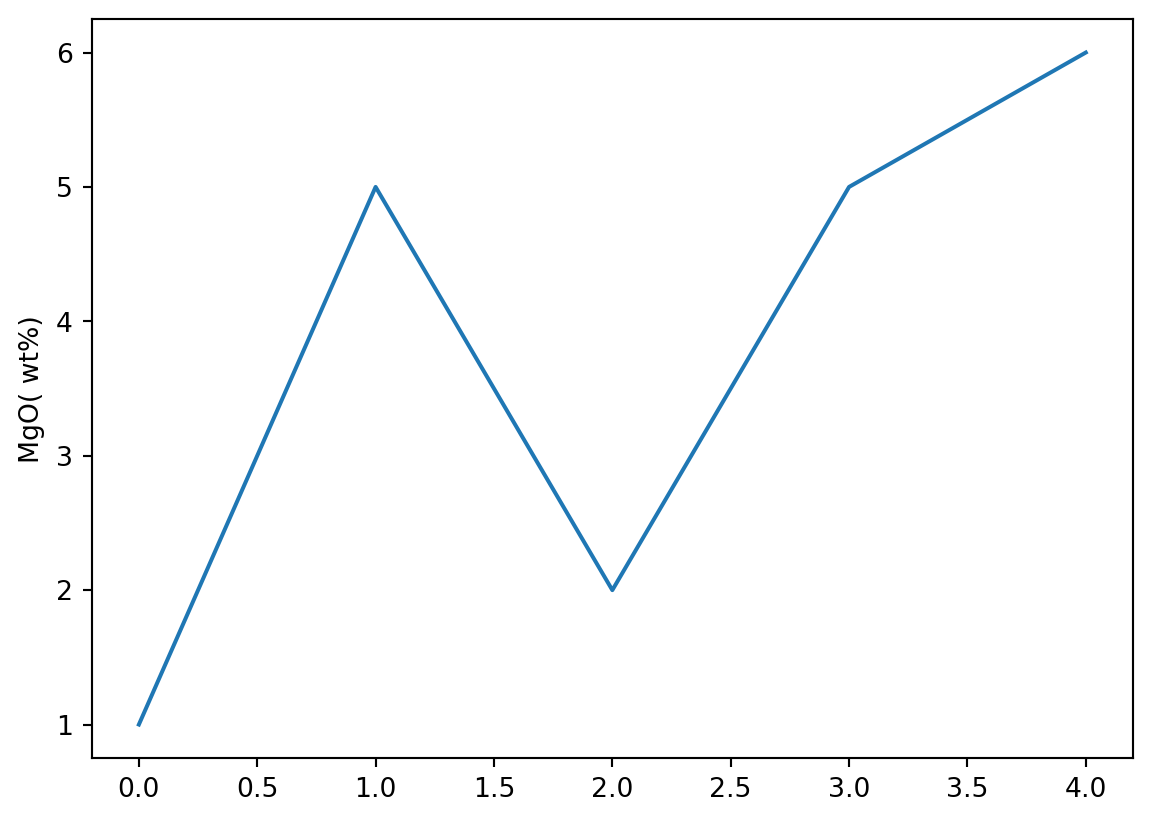
data = [1, 5, 2, 5, 6]

unit = 2

if unit == 1:  # this needs to be '==' as no value is assigned, but test is performed.
    plotUnit = '( wt%)'

elif unit == 2:
    plotUnit = ' (wt-ppm)'

elif unit == 3:
    plotUnit = ' (wt-ppb)'

else:
    plotUnit = ' (wt-ppt)'

plt.plot(data)
plt.ylabel('MgO' + plotUnit)

plt.show()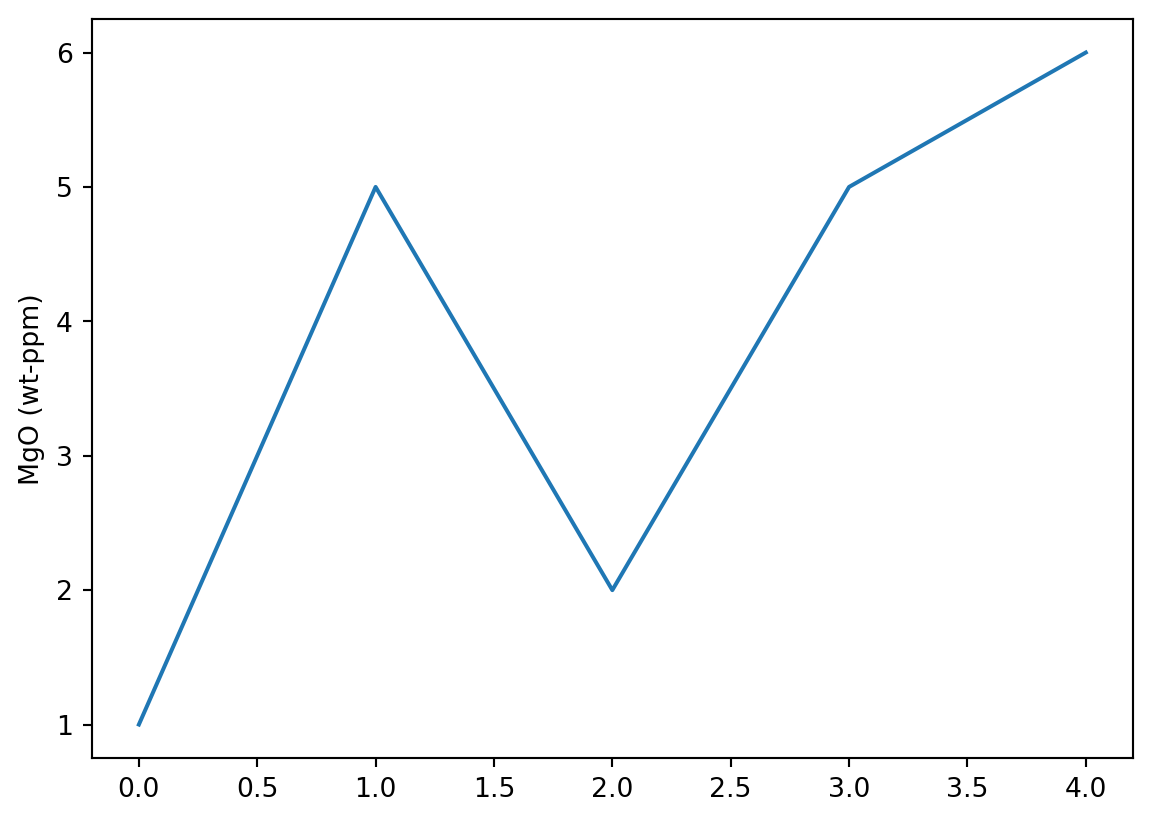
from ipywidgets import interactdef pltData(unit):
if unit == 1: # this needs to be '==' as no value is assigned, but test is performed.
plotUnit = '( wt%)'
elif unit == 2:
plotUnit = ' (wt-ppm)'
elif unit == 3:
plotUnit = ' (wt-ppb)'
else:
plotUnit = ' (wt-ppt)'
plt.plot(data)
plt.ylabel('MgO' + plotUnit)
return plt.show()data = [1, 5, 2, 5, 6]
interact(pltData, unit = [1, 2, 3, 4])<function __main__.pltData(unit)>Available Notebooks: Lecture, Exercise, Solution
Nun wollen wir einmal möglichst viel des bisher Gelernten anwenden und um schickes Programm zu bauen, mit dem auf verschiedene Datenbanken zugreifen und deren Inhalt wie gewünscht – also Element aussuchen, Einheit festlegen – darstellen können.
.pop(), .dropna(), .T, .yscale(log)
Available Notebooks: Solution
Seit einiger Zeit sollte klar werden, dass das bisher Gelernte mit den üblichen Programmen zur Analyse und Darstellung von Daten immer schwieriger würde, vor allem wenn schnell und flexibel gestaltet werden soll. Und natürlich ist das erst der Anfang. In dieser Aufgabe sollst Du erfahren, wie sehr wir uns bald auf die Ergebnisse, und weniger auf den Weg dahin konzentrieren können. Im Video werden ein paar Sachen dargestellt, dann sollst Du selbst versuchen, den unten gezeigten Plot normiert, bzw. nicht normiert darzustellen, d.h., das Programm dafür zu schreiben.